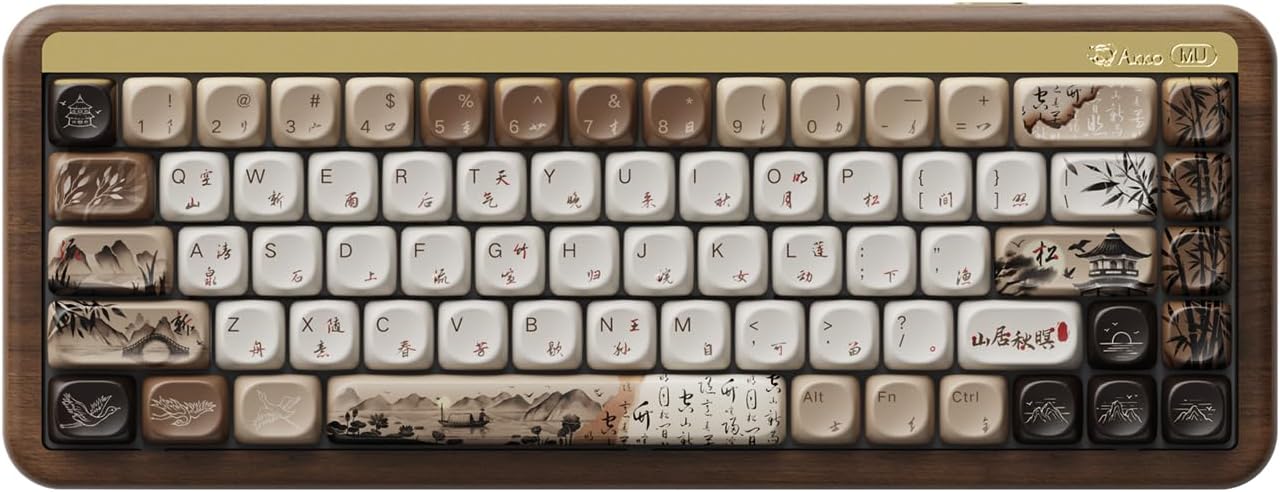
Typical key count: 68
65% layout
The 65% layout drops the function row but keeps arrow keys and a short navigation column. About 67 to 68 keys, and very popular with enthusiasts.
A 65% keyboard has the main alphanumeric block, a number row, dedicated arrow keys and a column of 3 to 5 extra keys on the right, often Delete, Page Up, Page Down and Home. Typical counts are 66 to 68. There is no function row and no numpad.
It suits people who want a small board without giving up the arrows. Writers, students and programmers who rarely use F-keys tend to like it. It is also the most common size for new custom builds.
F-keys are available on a layer, usually Fn plus a number key. That is fine for most users, but those who debug with function keys or use many shortcuts may find it clumsy.
Keycap support is good. Most sets that advertise a 60% kit work on 65%, with an added arrow and right-hand column kit. Check that the right Shift is 1.75U or 2.25U as your board needs.
Pros
- Arrows without a full TKL footprint
- Width about 12 inches, good for small desks
- Well supported by custom and hot-swap boards
Cons
- No dedicated function row
- Right-side keys vary between boards
- Some shortcuts need Fn layers
Questions